

Smart Speakers for Older People and Dementia: An Honest Guide
By Mobile Occupational Therapist • 24 September 2026 • 14 min read
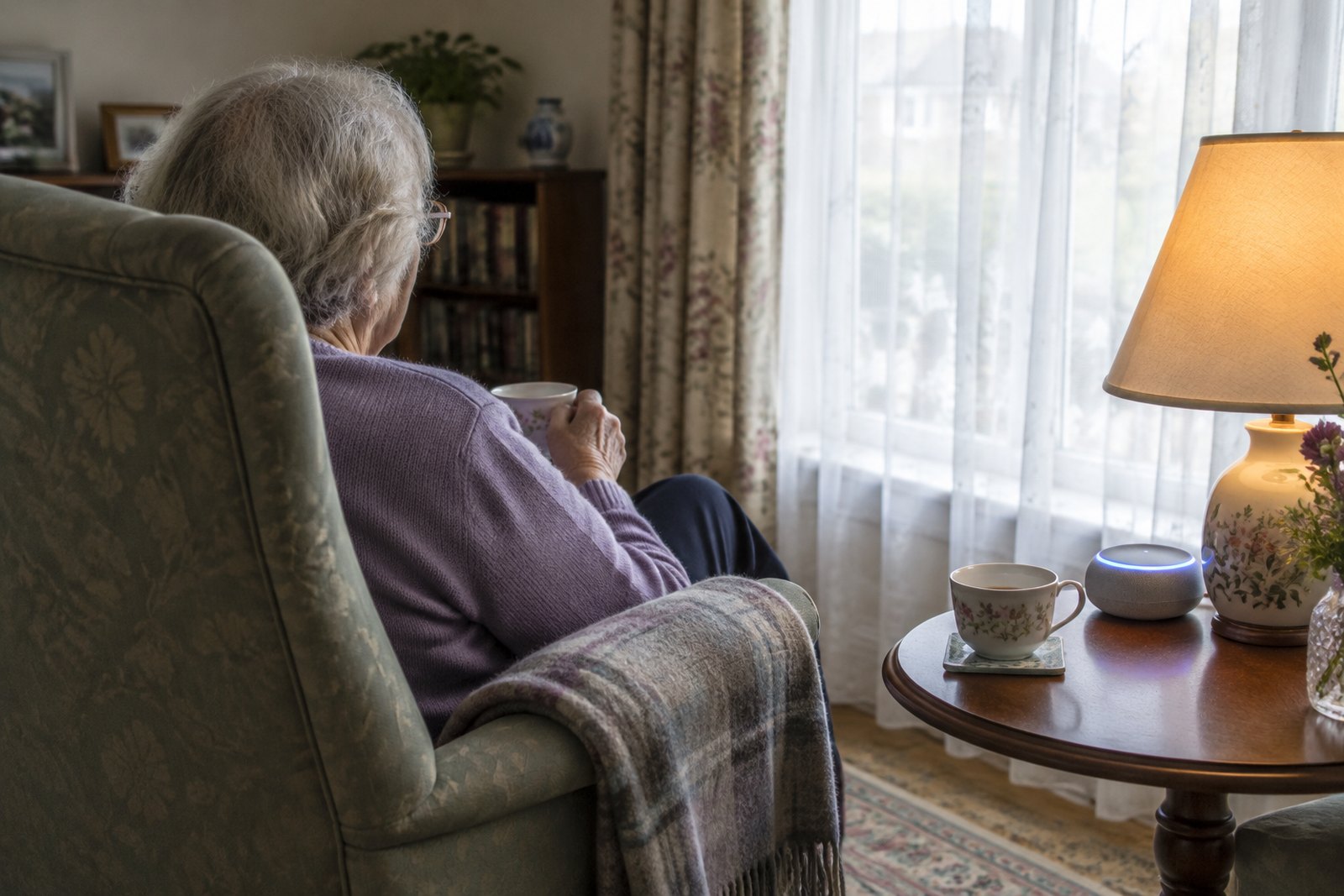
Yes, a smart speaker can genuinely help an older person, including someone living with dementia. It can tell them the time and day when asked, give spoken reminders, play favourite music, make hands-free calls to family and switch on a light before anyone has to cross a dark room. For some people it quietly becomes part of every day. For others it sits on the windowsill unused, or becomes a source of confusion and worry.
The difference is rarely the device. It is whether it suits the person, how it is set up, and whether someone has thought about the limits. It is not an emergency alarm unless properly arranged as one. It needs reliable broadband and power. And it raises real questions about privacy and consent. This guide covers all of that without recommending any brand. Smart speakers such as those made by the big technology companies all do broadly similar things, so the advice applies whichever one you are looking at.
What a voice assistant can actually help with
The voice assistant is the software. The smart speaker is the box it lives in, and some versions have a screen as well. You say a wake word, then a request, and it answers out loud. The jobs that tend to be genuinely useful for older people are:
- Time, date and day. "What day is it?" can be asked twenty times without anyone sighing. For someone with memory problems that alone can take some pressure off a family.
- Reminders. Spoken prompts at set times: have a drink, the carer is coming at eleven, the bins go out tonight. Most can repeat daily or on certain days of the week.
- Music and radio. Asking for a favourite station or a singer from their youth, with no buttons or remote. Music is often one of the things that still lands well in dementia.
- Calls. Hands-free calls to family, and on models with screens, video calls. Useful for people who struggle with a phone keypad or a small touchscreen.
- Timers. A kitchen timer you can set while your hands are full or your eyesight is poor.
- Lights and plugs. With compatible smart bulbs or smart plugs, lights can be switched on by voice from bed, or set to come on automatically at dusk.
- News, weather and audiobooks. Handy for people with sight loss or who find holding a book or newspaper tiring.
It is worth being honest about one thing on many lists: company. Some people living alone do like hearing a voice in the house. But a speaker is not company, and it should never become a reason for fewer visits or phone calls.
Is it right for this particular person?
Before buying anything, think about the person rather than the gadget. A few questions help:
- Can they learn and remember a short phrase? Someone in the early stages of dementia can often learn a few commands and use them for a long time. Learning something new gets much harder later on, so if you are going to try it, earlier is usually better.
- How is their hearing? If they already struggle with the television, a speaker voice may be hard to follow, though volume and position can help.
- How clear is their speech? A quiet voice, slurred speech after a stroke, or the softer voice that can come with Parkinson's may lead to the assistant mishearing or ignoring them. That is frustrating and can knock confidence.
- How do they feel about technology and being listened to? Some people are delighted. Others are suspicious, and for a person with dementia who already worries that someone is watching them, a talking box may make that worse.
- Will a voice from nowhere upset them? A reminder that suddenly speaks in an empty room can startle, or be mistaken for someone in the house. This is more likely as dementia progresses.
If most of the answers point the wrong way, that is not a failure. It just means something simpler will probably serve them better, and there is more on that below.
Setting it up for someone with memory problems
Sort out the account first
Most smart speakers are set up through an app on a smartphone, linked to an online account. In practice this is often a son or daughter's phone. Decide early whose account it is, who knows the password, and who will manage it. If you set it up on your own account, you may be able to change settings and see activity from your own home, which is helpful but also brings the privacy questions covered below. Talk this through with your parent rather than deciding for them.
Keep it as simple as possible
- Choose one place and leave it there. The room they use most, usually where they sit during the day, at a height where they can hear it and it can hear them. Away from the television, which can trigger it by accident.
- Stick to a few commands. Three or four is plenty to start with: the time, a radio station, calling one person, turning the light on. Write them on a large, clear card next to the speaker, in the exact words that work.
- Name contacts the way they would say them. "Call Sarah" or "Call Mum's Sarah", not a full name they never use. Remove contacts they do not need.
- Turn off what you do not need. Notification sounds, flashing light alerts, shopping suggestions, games and "would you like to hear about" prompts can all confuse. Most of these can be switched off in the app settings.
- Set the location and volume. Get the weather and local time right, and set a comfortable default volume.
- Practise together, briefly, over several days. Short, relaxed practice beats one long session. Do not correct them constantly.
Making reminders work
Reminders work best when they are tied to something already happening. "It is eleven o'clock. Jane the carer will be here soon" is more useful than a vague prompt. Keep the wording short, friendly and the same each time. Avoid stacking several reminders together.
A spoken medication reminder can help someone who manages their own tablets but forgets the time. It cannot tell you whether the tablets were actually taken, and it cannot stop someone taking a second dose because they forgot the first. If medicines are becoming a worry, talk to the GP or pharmacist about the safest system.
Routines
Most smart speakers let you build a routine: one trigger, several actions. A morning routine set for eight o'clock might say good morning, give the day and date, read the weather and put on a favourite radio station. An evening routine might switch on a bedside lamp at dusk and remind them to lock the door. Routines can give a reassuring shape to the day, which matters a great deal in dementia. Start with one and see how it lands before adding more. There are more ideas for prompts that work in our guide to memory aids for dementia.
Privacy, consent and who is in control
This is the part families most often skip, and the part that matters most.
Their home, their decision
Putting a listening device in someone's home is a decision about their life, and it should be theirs where possible. In England and Wales the Mental Capacity Act 2005 says a person must be assumed to have capacity unless it is shown otherwise, and capacity is about a specific decision at a specific time. Someone with dementia may well be able to decide whether they want a smart speaker, even if they struggle with other decisions. Explain it simply, show them, and give them time.
If a person genuinely cannot make the decision, anything done must be in their best interests, taking account of their past and present wishes, values and feelings, and the views of people close to them, and you must consider whether there is a less restrictive way to achieve the same aim. If someone holds a lasting power of attorney for health and welfare, they may have a role. GOV.UK has guidance on the Mental Capacity Act and on powers of attorney if you need to check how this applies.
What it hears and keeps
Smart speakers listen for their wake word and then send what follows to the company's servers to be processed. Recordings and transcripts are usually stored and can often be reviewed and deleted in the app or account settings. Most speakers have a button to switch the microphone off. Look at the privacy settings together and set them to a level everyone is comfortable with.
Features that let family check in
Some devices let approved contacts connect and start talking, or even see through a camera, without the person answering. Families sometimes like this for reassurance. It can also feel intrusive, or frightening to someone who does not understand what is happening. Use it only with clear agreement, and think about whether a phone call would do the job just as well. If paid carers come into the house, tell them if a device can listen or see.
Scams, purchases and other settings to check
- Voice purchasing. Many speakers can order things by voice. Turn this off, or protect it with a PIN the person does not use. If a payment card is linked to the account, consider removing it.
- Incoming calls. If the speaker can receive calls, check whether you can limit them to saved contacts.
- Add-on apps. Extra voice apps can usually be added by voice. Review what is installed from time to time and remove anything unexpected.
- Asking it for phone numbers. Asking a voice assistant to look up a company's number can sometimes return the wrong result. For banks and anything involving money, use numbers you have checked yourself and saved as contacts.
- Content filters. Some music services include explicit lyrics by default. Filters can usually be switched on.
A smart speaker is not usually the main route scammers use, but people with memory problems are more vulnerable to scams in general. If you are worried, talk to their bank about extra protections.
Internet, power and what happens when they fail
A smart speaker needs home broadband with a reliable wifi signal in the room where it sits. Many older people do not have broadband, and adding it is a cost and a contract to think about. Some broadband providers offer cheaper social tariffs for people on certain benefits, so it is worth asking.
It also needs to stay plugged in. A common problem in dementia is the person unplugging it because it looks unfamiliar, or switching it off at the wall at night. Plug it in somewhere less obvious, tidy the cable away safely, and check it is still working when you visit.
In a power cut or broadband outage it will simply stop working. Reminders, routines and calls will all fail, often without anyone noticing. Never let anything essential depend on it alone.
It is not an emergency alarm
This is the most important limit. Do not assume a smart speaker can call 999, and do not assume that calling a family member will work when needed. The person has to be conscious, able to speak clearly, within range of the speaker, and remember what to say. The speaker needs power and broadband. And the family member has to answer.
If falls or sudden illness are a worry, the right answer is a proper alarm: a pendant or wrist button linked to a monitoring service, possibly with a falls detector. Councils often run or can signpost telecare services. Our guide to personal alarms, telecare and falls detectors explains the options. A smart speaker can sit alongside an alarm, not replace it.
When simpler is better
For many people, especially as dementia progresses, a single-purpose device works better than a voice assistant that does everything. Options include:
- A large-display clock that shows the day, date and whether it is morning, afternoon or evening.
- A radio with one big on and off switch, tuned to their station and left there.
- A simple music player that starts playing a preloaded playlist when the lid is lifted or a button pressed.
- A phone with large photo buttons for the few people they call.
- Plug-in night lights or lights with movement sensors, which need no learning at all.
- A whiteboard or calendar with the day's plan, updated by visitors.
None of these need the person to learn anything new, and none depend on wifi. Our plain-English guide to assistive technology at home covers the full range, from the simplest gadgets to fully connected homes.
Where an occupational therapist fits
An occupational therapist looks at the whole of daily life: what the person wants and needs to do, what is getting in the way, and what will realistically help. Assistive technology is one tool among many. A private occupational therapist visiting at home can watch how someone manages their day, judge how well they are likely to learn and use a voice assistant, suggest which tasks it could genuinely support, and help set up routines and prompts that fit the person rather than the gadget. They can also tell you honestly when something simpler would work better, and how equipment, home layout and routines can be adjusted together. Our page on independence for older people explains more.
An occupational therapist is not the right first step for everything. If you are worried about new memory problems, see the GP, who can arrange a memory assessment. Hearing problems should go to the GP or an audiology service. If speech is unclear after a stroke or with a neurological condition, a speech and language therapist leads on communication. And if money or capacity questions are becoming complicated, legal or social care advice may be needed.
Frequently asked questions
Can a smart speaker remind mum to take her tablets?
It can give a spoken reminder at set times, which suits someone who manages their own tablets but forgets when. It cannot check whether they were taken or prevent a double dose. If you have concerns about medicines, speak to the GP or pharmacist.
Can it call for help if she falls?
Do not rely on it for that. It depends on her being able to speak clearly, being in range, remembering what to say, and on power and broadband working. A personal alarm linked to a monitoring service is the safer choice for falls.
Is it listening all the time?
It listens for its wake word and sends what is said after it to be processed. Recordings are usually stored and can often be reviewed or deleted in the settings. Most have a button to mute the microphone.
Can I set it up and manage it from my own home?
Often yes, if it is linked to an account you control. You may be able to set reminders, routines and settings remotely. Agree this with your parent first, and be clear about what you can see and hear.
Will it work for someone with hearing loss or unclear speech?
Sometimes. Volume, position and a model with a screen can help with hearing. Unclear or quiet speech often causes mishearing and frustration. A speech and language therapist can advise on communication, and an occupational therapist can help judge whether the device is worth trying.
Can I get one free from the council or NHS?
Not usually as standard. Councils may provide or signpost telecare and some assistive technology after an assessment, and arrangements vary by area. Ask your council's adult social care team what is available locally.
Next steps
If you would like help working out which technology and routines would really make a difference at home, see our equipment and aids page, or current guide prices, and choose your area below.
Talk to an occupational therapist near you
This guide is general information. For advice about your own situation - or someone you look after - a local occupational therapist can visit you at home and see it for themselves.
Choose your area: